Pick Ollama if you're a developer who wants a local AI engine to build on: it's open source (MIT), runs from the command line, serves an API on port 11434, and has an official Docker image. Pick LM Studio if you want an app: you browse models in a catalog, click download, and chat, with no terminal needed. It's free, including for work, but closed source.
Both are free, both run the same kind of open models (Qwen, Gemma, Llama, DeepSeek and more), and both work on Windows, Mac and Linux. On the same model and hardware they run at similar speeds. The real difference is how you like to work.
LM Studio vs Ollama: what's the difference?
| Ollama | LM Studio | |
|---|---|---|
| What it is | A local AI engine with a CLI and API | A desktop app with a chat window and model catalog |
| Licence | Open source, MIT | Free, closed source (CLI and SDKs are MIT) |
| Free for work? | Yes | Yes, since July 2025 |
| Interface | Terminal first, simple app on Windows and Mac | Full graphical app |
| Finding models | ollama pull from Ollama's curated library | Search Hugging Face from inside the app |
| Local API | http://localhost:11434 | http://localhost:1234 |
| API styles | Native, OpenAI-compatible, Anthropic-compatible | Native REST, OpenAI-compatible, Anthropic-compatible |
| Headless / server | Yes, plus official Docker image | Yes, through its llmster daemon |
| Apple Silicon | Supported, MLX added in v0.19 (March 2026) | Supported, MLX engine since 2025 |
| Intel Macs | Supported, CPU only | Not supported |
| MCP tools | Through apps you connect | Built in |
Which is easier for beginners?
LM Studio. You install it like any app, search for a model, and the app shows which versions fit your computer before you download. Then you chat in a window that looks like ChatGPT.
Ollama is easy too, but in a different way. After installing, you open a terminal and type one command:
ollama run qwen3:4bThat downloads the model and starts a chat in the terminal. Ollama also has a basic desktop app on Windows and Mac now, but it's still built around the command line. If the word "terminal" makes you nervous, start with LM Studio.
Which is better for developers and apps?
Ollama, for most projects. Three reasons:
- It's a service, not an app. It runs in the background with no window open, so your scripts and apps can call it any time.
- It's open source under MIT, so you can ship it inside a product, read the code, and run it in Docker on a server.
- The ecosystem expects it. Most open-source AI tools list Ollama as a supported backend first: chat UIs, coding agents, RAG frameworks and automation tools like n8n.
LM Studio has caught up on the API side: it serves OpenAI-compatible and Anthropic-compatible endpoints, supports MCP servers, and can run headless through its llmster daemon. It's a fine developer tool too, especially if you want to try a model in the chat window first and then call it from code.
Which one is faster?
Mostly neither. Both use llama.cpp to run GGUF models on Windows and Linux, so with the same model file, the same quantization and the same GPU settings, published comparisons find speeds close to each other. When one tool looks much faster, it is usually because the two are configured differently: a different quantization, a different context length, or one of them quietly running part of the model on the CPU.
The one place where a gap shows up is Apple Silicon Macs. LM Studio has offered MLX builds (Apple's own machine learning format) for longer, and MLX is often faster than GGUF on M-series chips. Ollama added MLX support in v0.19 in March 2026, so this gap is narrowing.
What hardware do you need to run local models?
This matters far more than which app you choose. A model runs fast when it fits entirely in your GPU's memory (VRAM, or unified memory on a Mac). When it doesn't fit, part of it spills into normal RAM and it slows down a lot.
Here are the download sizes Ollama lists for the Qwen3 family at its default 4-bit quantization:
| Model | Download size | Runs comfortably on |
|---|---|---|
| Qwen3 4B | 2.5 GB | Most laptops, GPUs with 4 GB VRAM |
| Qwen3 8B | 5.2 GB | GPUs with 6 to 8 GB VRAM, or 16 GB Macs |
| Qwen3 14B | 9.3 GB | GPUs with 12 GB VRAM, or 16 to 24 GB Macs |
| Qwen3 30B | 19 GB | GPUs with 24 GB VRAM, or 32 GB Macs |
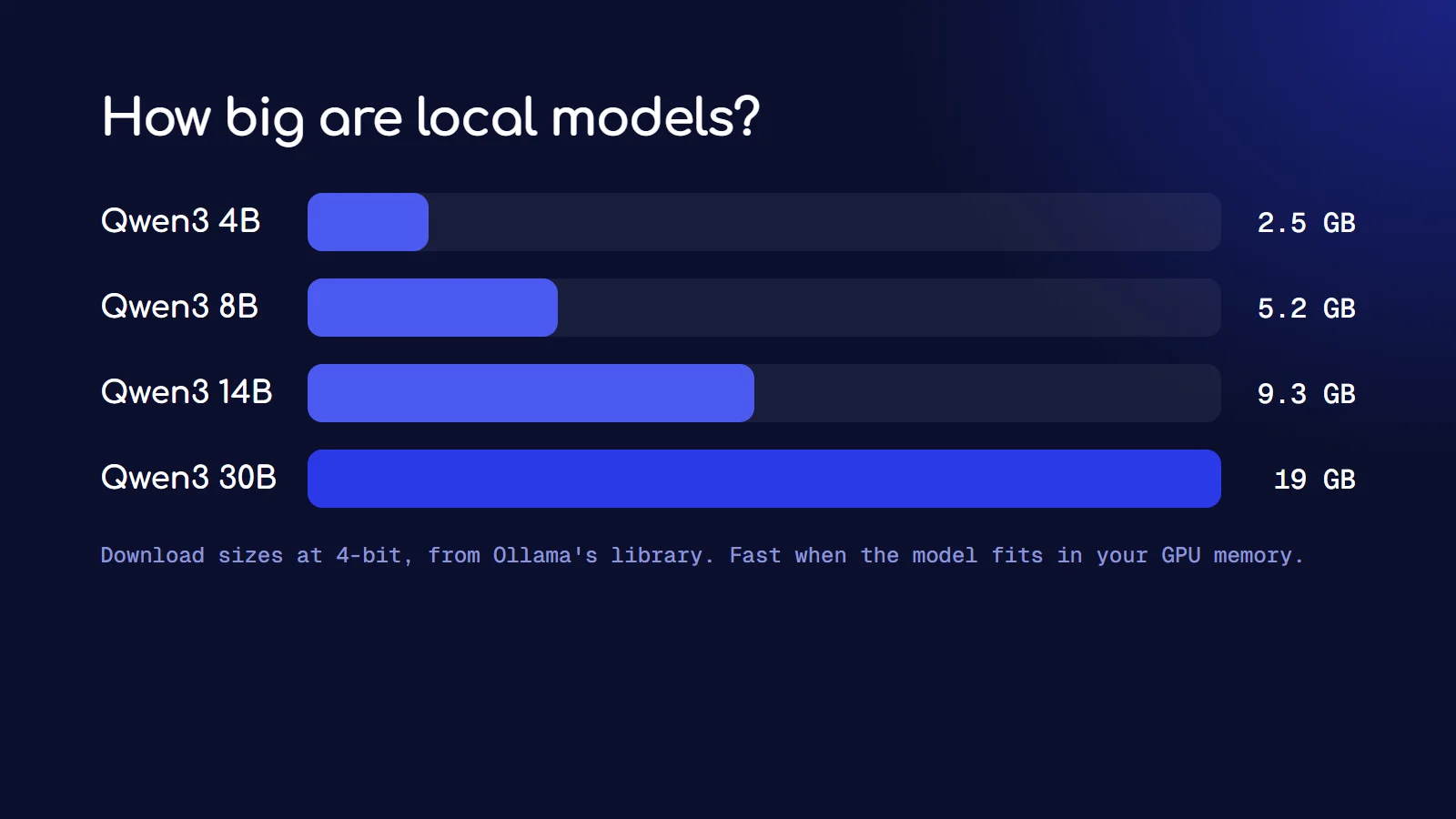
A useful rule: you need roughly the file size plus 10 to 30 percent extra, because the context (the conversation the model holds in memory) also takes space, and longer contexts take more.
The official minimums:
- LM Studio on Windows: a CPU with AVX2, 16 GB of RAM recommended, and at least 4 GB of dedicated VRAM recommended. On Mac it needs Apple Silicon and macOS 14 or newer.
- Ollama on Windows: Windows 10 22H2 or newer, NVIDIA driver 551.61 or newer if you have an NVIDIA card, and about 4 GB of disk for the app itself, plus space for models.
How do you install Ollama on Windows?
- Download
OllamaSetup.exefrom ollama.com. It doesn't need admin rights. - Run it. Ollama installs to your user folder and starts in the background.
- Open a new terminal and run
ollama run qwen3:4b.
Models are stored in your user folder (.ollama) by default. If your C drive is small, set a user environment variable called OLLAMA_MODELS to a folder on another drive, then restart Ollama. The Ollama Windows docs cover the details.
How do you install LM Studio?
- Download it from lmstudio.ai.
- Open the app and go to the Discover tab.
- Search for a model, for example Qwen3 4B, and pick a version. Q4_K_M is a good default: small, with little quality loss.
- Load it and start chatting. To use it from code, start the local server in the Developer tab.
Can you use Ollama or LM Studio with Claude Code?
Yes. Both expose an Anthropic-compatible endpoint, which is what Claude Code speaks. For Ollama, its docs give these settings:
export ANTHROPIC_AUTH_TOKEN=ollama
export ANTHROPIC_BASE_URL=http://localhost:11434
For LM Studio, point ANTHROPIC_BASE_URL at http://localhost:1234 with its server running.
Set your expectations, though. A small model that fits on a laptop is far weaker than Claude at agent work: it will miss tool calls and lose track of bigger tasks. It's good for learning and small edits. For free cloud models that handle agents better, see the free LLM APIs that still work in 2026, and for Claude Code specifically, my free unlimited Claude Code guide.
Can you run both at the same time?
Yes. They use different ports (11434 and 1234), so they don't clash. The catch is storage: each keeps its own model folder, so the same model downloaded in both takes up space twice. If disk space is tight, pick one.
So which should you choose?
- You just want to chat with AI offline: LM Studio.
- You're on an Intel Mac: Ollama, which runs on Intel Macs in CPU-only mode. LM Studio doesn't support them.
- You're building an app, script or automation: Ollama.
- You want to run it on a server or in Docker: Ollama.
- You want to try lots of models and compare them: LM Studio, because browsing Hugging Face from inside the app is easier.
- You care about open source: Ollama.
Many developers end up using both: LM Studio to discover and try models, Ollama to run the one they pick inside their projects.
Frequently asked questions
Is LM Studio better than Ollama?
Neither is better overall. LM Studio is better as an app for chatting and exploring models. Ollama is better as an engine for apps, scripts and servers. On the same model and hardware they run at similar speeds.
Is Ollama faster than LM Studio?
Not in a meaningful way when both run the same model with the same settings, since both use llama.cpp. On Apple Silicon, LM Studio's MLX builds have often been faster, though Ollama added MLX support in 2026.
Is LM Studio free for commercial use?
Yes. LM Studio has been free to use at work since July 2025. The app itself is closed source, while its CLI and SDKs are MIT licensed.
Can I run Ollama without a GPU?
Yes. Ollama and LM Studio both run on the CPU alone, just slower. Small models like Qwen3 4B are usable on a modern CPU with 16 GB of RAM.
Do Ollama and LM Studio send my data online?
No. Both run models on your own computer, so your prompts don't leave it. They only go online to download models, and for optional cloud features if you turn those on.