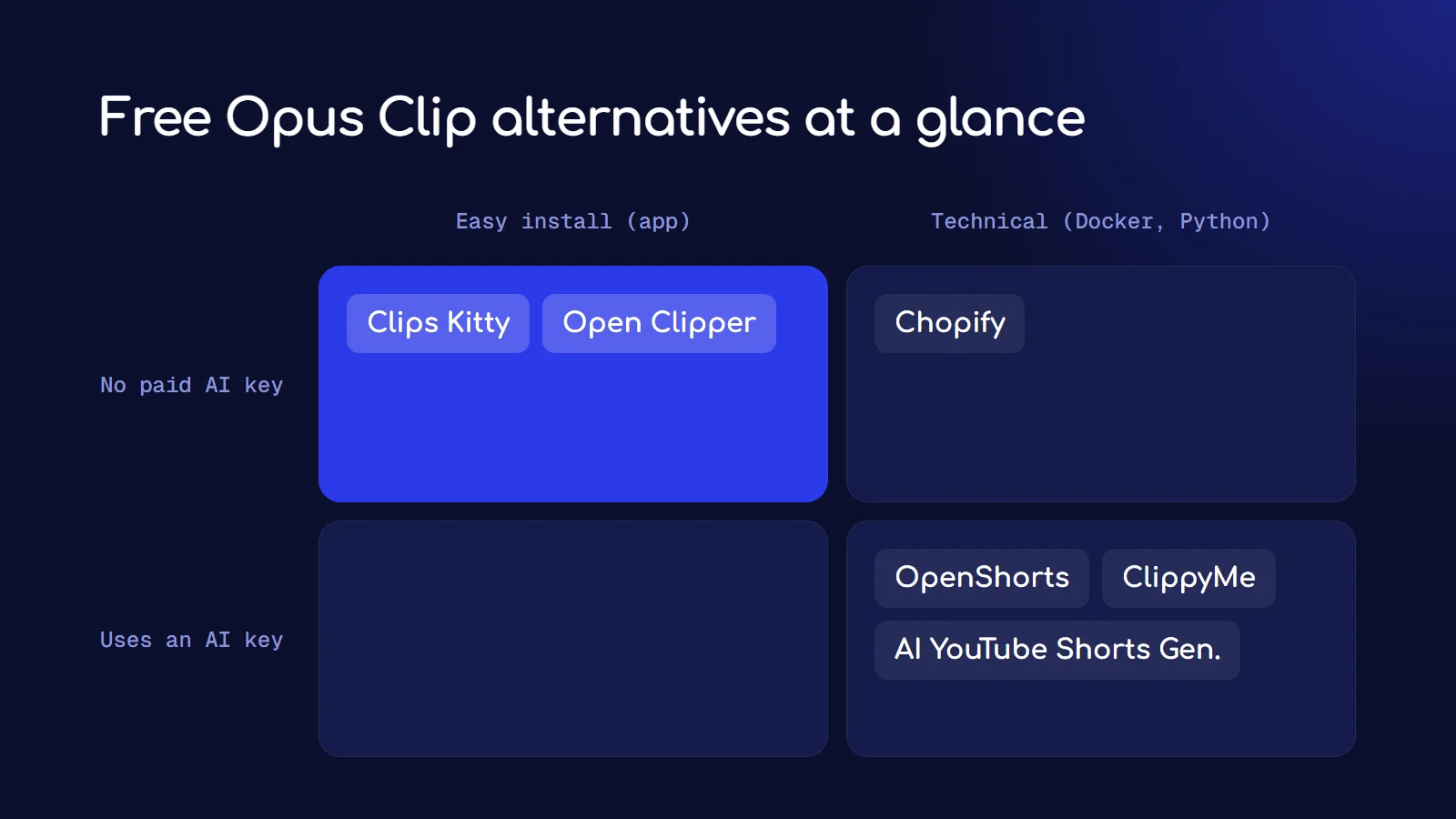
The best free, open-source Opus Clip alternative for most people is OpenShorts: it's MIT licensed, has the biggest community (over 7,000 GitHub stars), and turns long videos into captioned 9:16 clips with face tracking. If you want a normal Windows app instead of Docker, try Open Clipper or Clips Kitty. If you want zero AI costs, Chopify and Clips Kitty can pick clips with local models only.
All six tools below are free to download, have no watermark and no monthly minute cap. The trade-off is setup: you run them on your own computer, and some of them need an AI API key, which can cost a few cents per video.
Why look for an Opus Clip alternative?
Opus Clip's pricing page lists a free plan with watermarked exports, then Starter at $15 a month and Pro at $29 a month. For a creator posting daily, or an editor clipping for several clients, that adds up, and you're still working within someone else's credit limits and features.
Open-source clippers flip that: the software is free, the clip-picking logic is visible and editable, and your videos never leave your machine unless you choose a cloud AI.
The 6 free Opus Clip alternatives compared
| Tool | Best for | Runs as | AI for picking clips | Licence | GitHub stars |
|---|---|---|---|---|---|
| OpenShorts | Podcasts, most people | Docker (8 GB+ RAM) | Your Gemini key | MIT | 7,072 |
| AI YouTube Shorts Generator | Developers, batch jobs | Python CLI or library | OpenAI or Gemini key, or MuAPI | MIT | 5,593 |
| Clips Kitty | Streamers, gaming, sports | Windows app or Docker | Local Gemma, or OpenRouter | AGPL-3.0 | 150 |
| ClippyMe | Auto-clipping channels | Docker web app | Your Gemini key | MIT | 61 |
| Open Clipper | Non-technical Windows users | Windows installer | No AI key needed (keys only for cloud transcription) | MIT | 13 |
| Chopify | Fully local, no API at all | Python app with browser dashboard | Local scoring, optional Ollama | MIT | 45 |
Star counts are from GitHub on October 25, 2026. Stars show how many people follow a project, not how good its clips are.
1. OpenShorts: the most popular open-source clipper
OpenShorts is the biggest project in this space. It finds the best moments with AI, reframes to 9:16 with face tracking, adds captions, and has a smart trick for two-person podcasts: it stacks both speakers instead of shrinking the wide shot, and puts the captions on the seam between them.
- Setup: Docker Compose, at least 8 GB of RAM, and model downloads.
- AI: you bring your own Gemini key (plus ElevenLabs and fal.ai keys for its extra AI video tools).
- Speed: the project says 5 to 8 minutes per 8-minute video on a CPU.
- Also offered: a hosted version at openshorts.app, with a watermarked free plan and paid plans from $12 a month. The self-hosted version has no watermark or limits.
Pick it if you clip podcasts or interviews and you're comfortable with Docker.
2. AI YouTube Shorts Generator: the developer's clipper
AI YouTube Shorts Generator is a Python tool you run from the command line or import into your own code. Give it a YouTube link and it returns ranked clips, with JSON output that's easy to plug into a bigger pipeline.
- Two modes: the default API mode uses a MuAPI key for download, transcription and cropping. Local mode runs yt-dlp, faster-whisper and OpenCV face tracking on your machine, and only the clip-ranking step calls OpenAI or Gemini.
- Setup: Python 3.10 or newer, ffmpeg for local mode.
- Batch: you can feed it a whole list of URLs.
Pick it if you're a developer who wants clipping inside your own scripts or product.
3. Clips Kitty: built for streamers on a budget
Clips Kitty (it was called Clips Studio until version 1.1.3) is aimed at small YouTubers and streamers, and it's the most complete "no monthly bill" option here.
- Setup: install it from the Microsoft Store or run it with Docker.
- AI: Google's Gemma runs locally through Ollama by default, so there's no AI fee. You can switch to OpenRouter instead; the developer reports a 2-hour video cost about 11 cents that way.
- Extras: it can watch Twitch, Kick and YouTube channels, clip new streams on its own, and publish or schedule to YouTube, TikTok and Instagram. It also uses your GPU for detection, transcription and encoding when available.
- Licence: AGPL-3.0, which matters only if you plan to modify it and run it as a service for others.
Pick it if you clip streams, gaming or sports and want everything to run on your own PC.
4. ClippyMe: hands-off clipping for whole channels
ClippyMe is a self-hosted web app. Give it a YouTube link or a file and Gemini picks and ranks self-contained clips, each with a title, hook and captions, with cuts placed on sentence boundaries.
- Setup: Docker with Compose v2, then
docker compose up --build. - AI: Gemini for picking clips (without a key it falls back to simpler splitting). Transcription uses Deepgram or ElevenLabs if you add a key, or local Whisper.
- Extras: active-speaker tracking, six caption styles, silence and filler-word removal, and publishing through Zernio. Like Clips Kitty, it can watch Kick, Twitch and YouTube channels.
Pick it if you want a polished web dashboard and you already use Gemini.
5. Open Clipper: the easiest to install
Open Clipper by GrepCut is a free, open-source Windows desktop app with a normal installer. No Docker, no Python.
- Transcription: local Whisper Large v3 Turbo or Parakeet, or cloud transcription with your own OpenRouter or Groq key.
- Editing: scene-aware auto-reframe with split view for several people, 20 caption presets, a batch render queue, and one-click publishing to TikTok and YouTube.
- Worth knowing: it focuses on reframing, captions and publishing. Its README doesn't describe automatic highlight picking the way OpenShorts or ClippyMe do, so you may choose the moments yourself from the transcript.
- Platform: Windows only for now.
Pick it if you're not technical and you're on Windows.
6. Chopify: fully local, no API keys at all
Chopify is the purist's option: everything runs on your computer, and it doesn't need any AI API. It scores clips with heuristics, with optional local LLM scoring and semantic search through Ollama.
- Setup: Python 3.11 or newer and ffmpeg. Windows is its main target.
- Features: a local browser dashboard, batch queue, caption editor with SRT export, brand presets, face-tracked vertical crops, podcast split-screen, and filler and silence removal.
- Honest scoring: the project says its scores are editing suggestions, not predictions of virality. That's true of every tool on this list, and it's refreshing to see it said.
Pick it if privacy matters most or you never want to pay for an API.
Which free Opus Clip alternative should you use?
- Easiest install: Open Clipper (Windows) or Clips Kitty (Microsoft Store).
- Best for podcasts: OpenShorts, for its two-speaker stacking.
- Zero AI cost: Chopify or Clips Kitty with local models.
- For developers: AI YouTube Shorts Generator.
- Auto-clip a channel while you sleep: Clips Kitty or ClippyMe.
One thing to know before you start: local transcription and face tracking are heavy. On a laptop without a decent GPU, expect a long video to take several minutes to process. That's the price of not paying per minute.
I built two of my own
I clip podcasts for paying clients, so I ended up building my own tools.
Hive Clips AI lets me choose exactly what the AI looks for in a video, and it's now a Windows app you can try free at hiveclips.pro. The free trial makes 3 finished clips with every feature on and no card. Unlike the six tools above it isn't open source and the full version is paid, but there's no Docker, Python or API key to set up. I wrote up how I built my own Opus Clip alternative with Claude Code, including what broke.
ClipForge runs fully offline with a scoring formula instead of a paid AI; here's how to make AI clips offline for free.
If none of the six tools above fits your workflow, try Hive, or use those two posts to build your own.
Frequently asked questions
Is there a free Opus Clip alternative with no watermark?
Yes. All six tools in this guide are free and add no watermark when you run them yourself. OpenShorts' hosted version does watermark its free plan, but the self-hosted version doesn't.
What is the best open-source Opus Clip alternative?
OpenShorts is the most popular, with over 7,000 GitHub stars and an MIT licence. Open Clipper is the easiest to install on Windows, and Chopify is the best if you want everything local with no API keys.
Do open-source AI clippers need a GPU?
No, but it helps a lot. They all run on a CPU; OpenShorts, for example, says an 8-minute video takes 5 to 8 minutes on CPU. A GPU speeds up transcription, face tracking and video encoding.
Are these tools really free?
The software is free. Some tools use a cloud AI to pick clips, which you pay for with your own key, usually a few cents per video. Chopify and Clips Kitty can run with local models only, so they cost nothing beyond electricity.
Can open-source clippers post straight to TikTok and YouTube?
Some can. Clips Kitty publishes and schedules to YouTube, TikTok and Instagram, Open Clipper publishes to TikTok and YouTube, and ClippyMe publishes through Zernio. Others export files you upload yourself.